Generate interactive Flash and JavaScript web effects effortlessly with customizable templates and plugin support
Generate interactive Flash and JavaScript web effects effortlessly with customizable templates and plugin support
Vote (3 votes)
Program license Free
Developer Mandomartis
Version 2.0
Works under Windows
Vote
(3 votes)
Developer
Mandomartis
Works under
Windows
Program license
Free
Version
2.0
Pros
- Extensive library of pre-configured web effects and applets
- Plugin system allows for enhanced customization
- Available in multiple languages, including Swedish
- Lightweight and requires minimal system resources
- Suitable for beginners and advanced users
Cons
- Relies on Java applets, which are obsolete in modern browsers
- Outdated user interface
- Limited documentation for advanced troubleshooting
- Rarely updated, lacks support for current operating systems
Free tool for creating interactive web effects and Java applets
Overview
Advanced Effect Maker is a utility designed for users interested in adding interactive effects to websites without extensive coding knowledge. Built for Windows platforms, the software specializes in creating Java-based effects and applets that can be easily integrated into web projects. Users can select from a variety of visual effects, including buttons, animations, and banners, making the process of enhancing web pages both accessible and efficient.
Features
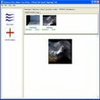
Wide range of effects: Advanced Effect Maker provides a library of ready-to-use effects, including slideshows, scrolling text, and image transitions. The applet library is visually represented with screenshots, allowing for quick browsing and selection.
Plugin and applet support: The program supports both third-party plugins and Java applets, such as Anibal's Essential Applets and Violent Playground, which can be easily downloaded and integrated. This thoughtful plugin structure broadens the creative possibilities and enables further customization.
Customizable applets: Users can customize applets using straightforward configuration options. For more advanced needs, the platform features a plugin maker, empowering experienced developers to create new applets or modify existing ones to fit specific requirements.
Language options: In addition to English, Advanced Effect Maker is available in Swedish, opening up the tool to a wider user base.
User Interface and Experience
With an interface update that introduced applet screenshots, navigation for searching and previewing effects is intuitive and fast. This screenshot-based catalog streamlines the process of finding suitable effects, especially for those unsure of the terminology or exact effect names.
The controls and menus are organized to be approachable for beginners, though the inclusion of a plugin maker also acknowledges the needs of more advanced users. The help documentation provides basic guidance, but some users may find it inadequate when troubleshooting more technical customization or installation issues.
Performance and Compatibility
Advanced Effect Maker is lightweight and installs quickly, consuming minimal system resources. The software is designed to function on legacy Windows systems, ranging from Windows 98 onwards, making it accessible to users with older hardware. However, the reliance on Java applets could limit compatibility with modern browsers, as many have phased out native support for Java content.
Use Cases
This tool is suitable for hobbyists, web design students, or professionals seeking to add interactive elements to personal web pages, business sites, or digital portfolios. Its no-coding approach allows users to deploy engaging features without specialized programming knowledge. For developers, the plugin maker presents an opportunity to expand or tailor functionality to suit specific web environments.
Limitations
While offering a strong selection of effects and plugins, Advanced Effect Maker’s emphasis on Java applets is notable, as modern web standards now prefer JavaScript and HTML5-based effects for cross-browser compatibility and security. The interface, though practical, appears dated compared to recent design software. Limited updates and support for newer operating systems and web standards may restrict its utility for forward-thinking or enterprise-level projects.
Pros
- Extensive library of pre-configured web effects and applets
- Plugin system allows for enhanced customization
- Available in multiple languages, including Swedish
- Lightweight and requires minimal system resources
- Suitable for beginners and advanced users
Cons
- Relies on Java applets, which are obsolete in modern browsers
- Outdated user interface
- Limited documentation for advanced troubleshooting
- Rarely updated, lacks support for current operating systems